
In the ever-evolving hospitality industry, understanding key performance indicators is crucial for maximizing profitability. One such metric is RevPAR (Revenue per Available Room), which offers valuable insights into a hotel’s financial health. According to a report by STR, the average daily rate (ADR) for U.S. hotels reached $156.67 in December 2024, marking a 3.3% increase from the previous year, while RevPAR saw a 4.4% rise to $83.30 STR. This underscores the growing importance of effectively managing both occupancy rates and room pricing strategies.
In this blog post, we’ll delve into the components that influence RevPAR and how it’s calculated.
1. What Is RevPAR?
RevPAR stands for Revenue per Available Room. It is a key metric in the hospitality industry. Hotels use it to see how much money they make from each room, even if the room is not always sold.
- Definition: RevPAR = Total Room Revenue ÷ Number of Available Rooms.
- It shows the average revenue per room for a certain period of time.
Why it matters:
- RevPAR combines room rate (the price you charge per night) and occupancy (how many rooms are sold).
- It gives hotels a clear view of performance, not just price or occupancy alone.
- A higher RevPAR means the hotel is making better use of its rooms.
In short: RevPAR is a simple but powerful way for hotels to measure success and compare results over time.
2. How to Calculate RevPAR?
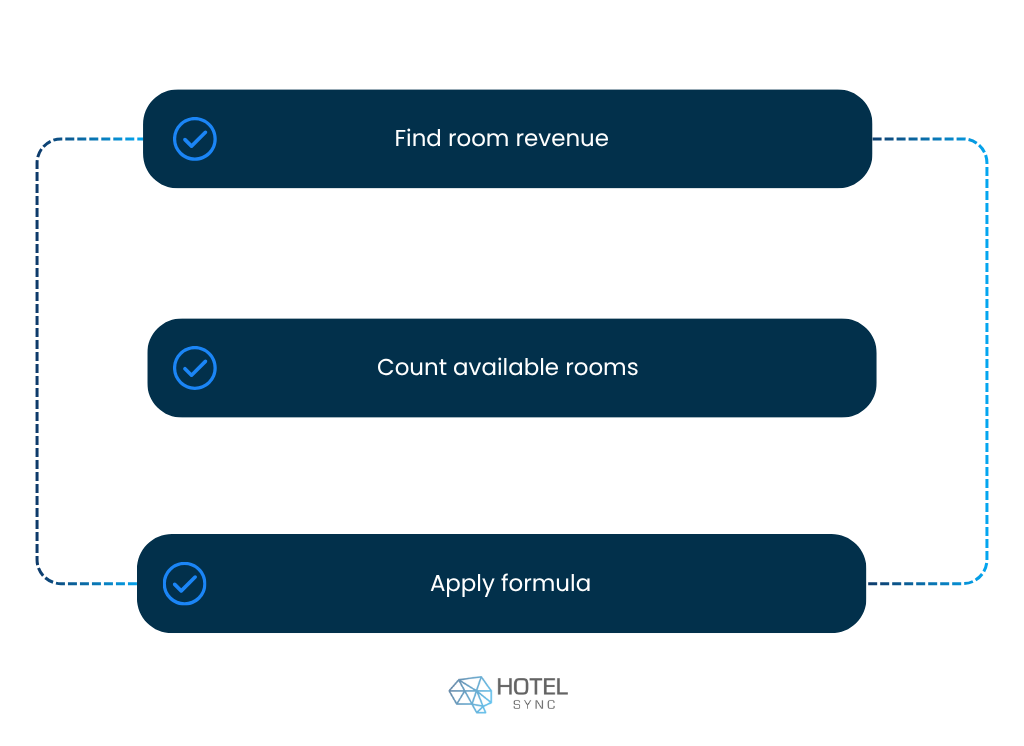
To calculate RevPAR, you need to know two things: how much money your hotel makes from rooms and how many rooms are available.
- Step 1: Find your total room revenue for the period you want to measure.
- Step 2: Count the total number of rooms available, whether they were sold or not.
- Step 3: Apply the RevPAR formula:
RevPAR = Total Room Revenue ÷ Total Available Rooms
Example:
Let’s say your hotel earned $50,000 in room revenue during one month. You have 100 rooms, and since the month has 30 days, the total number of rooms available is:
100 rooms × 30 days = 3,000 available rooms
Now apply the formula:
RevPAR = $50,000 ÷ 3,000 RevPAR = $16.67
This means that, on average, each room brought in $16.67 during that month, whether it was booked or not.
Extra tips when calculating RevPAR:
- You can calculate it daily, weekly, or monthly to see trends over time.
- It’s useful for budgeting and forecasting, helping hotels plan for busy seasons.
- Hotels can use RevPAR to compare different types of rooms or locations to see which are most profitable.
3. The Best RevPAR Formula
Calculating metrics like RevPAR and ADR by hand can be time-consuming and prone to errors. That’s why many hotels now rely on automation to handle reporting. With HotelSync, managers don’t need to use calculators or spreadsheets — the system automatically generates detailed reports with RevPAR, ADR, and other key performance indicators already included.
These reports are designed for hotel managers who want quick insights without extra work. Instead of wasting time on manual math, you get clear, ready-to-use data that supports smarter revenue management and faster decision-making. By keeping all your performance metrics in one place, HotelSync makes it easier to track trends, adjust strategies, and focus on delivering a better guest experience.
4. Components of Revenue Per Available Room
RevPAR is made up of two main components: Room Revenue and Available Rooms. Understanding these helps hotels make better decisions and improve performance.
Room Revenue
- Room Revenue is the total revenue generated from selling rooms during a specific period.
- It includes all income from room bookings, extra services tied to rooms, and any adjustments like discounts or promotions.
- Monitoring Room Revenue helps hotels evaluate the effectiveness of their pricing strategies and identify opportunities to increase income.
Available Rooms
- Available Rooms is simply the total number of rooms a hotel has for sale during the same period.
- This number doesn’t change based on bookings—it represents the hotel’s full capacity.
- By comparing Room Revenue to Available Rooms, hotels can see how efficiently they are using their resources and adjust pricing strategies accordingly.
5. Benefits of Using a RevPAR Calculator
A RevPAR calculator is a powerful tool for hotels that want to make smarter decisions and optimize performance. It helps improve revenue management by showing exactly how each room contributes to total revenue. Using the RevPAR index, hotels can compare results across different periods or even between properties, making it easier to adjust pricing strategies and maximize income.
The calculator also supports better financial analysis. By providing clear insights into revenue trends, it acts as a key performance indicator for different room types or hotel segments. Managers can quickly identify which areas are performing best and make informed decisions for budgeting, forecasting, and planning promotions.
Beyond numbers, a RevPAR calculator saves time and reduces mistakes, giving hotel staff more freedom to focus on strategy and guest experience. In short, it turns raw data into actionable insights, helping hotels boost revenue and track performance efficiently.
6. Factors Affecting RevPAR
RevPAR is influenced by several key factors, and understanding them helps hotels make smarter decisions. The first is occupancy rates. Higher occupancy means more rooms are sold, which directly increases revenue. Monitoring rates and occupancy together allows hotels to see if their pricing strategies are attracting enough guests without leaving revenue on the table.
The second factor is Average Daily Rate (ADR), which reflects the price charged per room. Even with high occupancy, if the room rates are too low, total revenue suffers. Combining occupancy with ADR gives a clearer picture of operating profit per available room, helping hotels identify opportunities to adjust pricing or promotional strategies for maximum profitability.
In short, both occupancy and ADR work together to shape RevPAR, and tracking these factors enables hotels to improve revenue performance and make data-driven decisions that support long-term success.
7. Related Metrics: TRevPAR and ARPAR
While RevPAR is one of the most common hotel metrics, it’s not the only one worth tracking.
TRevPAR (Total Revenue per Available Room) looks at all hotel revenue, not just rooms. That includes food and beverage, spa, parking, and other services. By focusing on total revenue, TRevPAR gives managers a fuller view of how every department contributes to performance.
ARPAR (Adjusted Revenue per Available Room) goes a step further. It takes room revenue and then subtracts variable costs, such as cleaning or guest amenities. Because it accounts for expenses, ARPAR shows how much operating profit per available room the hotel is actually keeping, not just earning.
Together, RevPAR, TRevPAR, and ARPAR provide a stronger picture of hotel profitability and help managers design smarter pricing strategies.
How OTA Sync Supports Better RevPAR
Improving RevPAR isn’t just about numbers — it’s about giving guests a better experience and helping your team work smarter. HotelSync is software that always stays in line with current hospitality trends, so you don’t have to rely on manual tools or outdated processes.
With features like a Property Management System, Booking Engine, Channel Manager, and Guest App, hotels can simplify daily operations and create a smoother booking journey. The new mobile app makes it even easier to manage reservations, track performance, and keep an eye on key metrics like RevPAR and ADR in real time.
Keeping up with new technologies is no longer just a trend. By using HotelSync, hotels can boost occupancy rates, reduce manual tasks, and ultimately increase their revenue per available room.
Keep Reading
Want to dive deeper into hotel revenue management and operations? Explore more insights on the OTA Sync blog:
 English
 Deutsch
 Français
 Hrvatski
 Srpski
 Crnogorski
 Italiano
 Español
 简体中文
简体中文 Magyar
 Português
 Română
 Русский
 Shqip
Shqip Nederlands
 Ελληνικά
 العربية
 Български